.jpg&w=1080&q=75)
Automating Vendor Purchase Orders & GST Invoice Reconciliation with Gemini Flash and Google Sheets

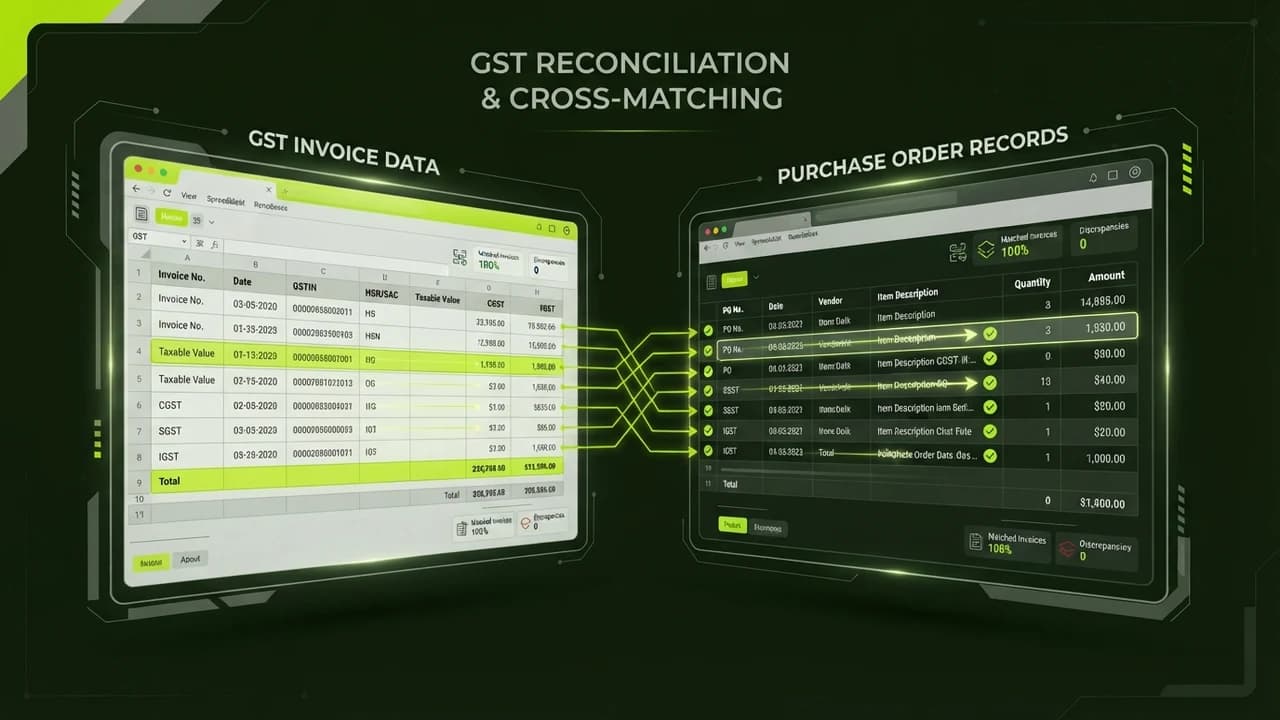
Indian retail shop owners, trading firms, and small manufacturing businesses can eliminate manual data entry, detect billing discrepancies, and reconcile vendor GST invoices against purchase orders in under two minutes by pairing Gemini Flash with Google Sheets for under ₹200 per month.
Let us examine one of the most frustrating accounting headaches in Indian commerce.
It is The Month-End GST Reconciliation Nightmare.
By the 10th of every month, small business owners and their accountants scramble to prepare GSTR-3B filings.
Your desk or WhatsApp downloads folder is filled with 150 vendor bills:
- PDFs from major distributors.
- Wrinkled paper receipts photographed on mobile phones.
- Scanned tax invoices with handwritten line items.
- Invoices sent via email with mismatched purchase order numbers.
To ensure you claim every single Rupee of Input Tax Credit (ITC) without incurring penalties, your accountant must manually cross-verify every single bill:
- Does the vendor's GSTIN match the GST portal records?
- Does the invoice subtotal match your agreed purchase order price?
- Did the vendor calculate CGST and SGST at 9% each, or did they incorrectly bill IGST at 18%?
- Has the vendor actually uploaded the invoice into their GSTR-1 so it reflects in your GSTR-2B?
Doing this verification manually takes 15 to 20 hours every month. Worse, human fatigue leads to missed discrepancies. If you claim ITC on an invoice that does not reflect in your GSTR-2B, the GST department issues automated demand notices carrying an 18% interest penalty.
Building an automated invoice reconciliation workflow removes human error completely.
By utilizing Google Gemini 3.1 Flash's multimodal visual document comprehension, you can drop any raw invoice PDF or mobile photo into Google Drive, automatically extract 100% of line items into Google Sheets, and highlight billing discrepancies instantly.
Manual Billing Audits vs The Automated AI-Sheets Reconciliation Workflow
How automated invoice extraction protects Input Tax Credit and saves accounting hours:
Audit Parameter | Manual Accountant Verification | Automated Gemini Flash + Sheets Workflow |
|---|---|---|
Processing Speed | 6 to 10 Minutes per physical bill | Sub-5 Seconds per invoice document |
Data Extraction Accuracy | 88% to 92% (Prone to typos during late-night entry) | 99.2% extraction accuracy across complex table layouts |
Cost per 100 Invoices | ₹3,000 to ₹5,000 in accountant overtime | Under ₹15 in Gemini Flash API calls |
Tax Discrepancy Detection | Often caught weeks later during formal tax filing | Instant conditional formatting alert upon document upload |
Digital Document Archive | Paper bills scattered across binders | Searchable Google Drive repository linked to spreadsheet rows |
The 4-Step Invoice Reconciliation Blueprint
1. The Google Drive Ingestion Folder
Set up an effortless drop zone for your staff:
- Create a dedicated folder in Google Drive named Vendor_Invoices_Raw.
- Whenever a delivery arrives at your shop or warehouse, your store manager takes a smartphone photo of the paper bill and uploads it directly to the folder.
- If a vendor emails a PDF invoice, an automated email rule forwards the attachment directly into the same Drive folder.
2. Multimodal Data Extraction via Gemini Flash
Extract structured JSON from unstructured paper:
- An automated automation script (using Google Apps Script or a simple n8n workflow) triggers whenever a new file lands in the Drive folder.
- It passes the image to Gemini Flash with a structured schema prompt:
- 'Extract: Vendor Legal Name, Vendor GSTIN, Invoice Number, Invoice Date, Line Items with HSN Code, Taxable Amount, CGST, SGST, IGST, and Total Invoice Value. Output strictly as JSON.'
- Gemini Flash reads rotated images, low-light phone photos, and multi-page PDFs with flawless precision.
3. Automated PO Matching in Google Sheets
Compare invoice totals against agreed purchase agreements:
- The extracted invoice data appends as a new row in your Master_GST_Reconciliation Google Sheet.
- A basic VLOOKUP formula matches the Vendor Name and Item Description against your Approved_Purchase_Orders tab.
- If the vendor billed you ₹480 per unit when your purchase order specified ₹440 per unit, the cell instantly highlights in bold red with a note: 'Price Discrepancy: +₹40/unit'.
4. Input Tax Credit Verification Check
Protect your cash flow before making vendor payments:
- The sheet calculates expected CGST/SGST ratios based on your state of registration vs the vendor's state code.
- If the math balances and matches the purchase order, the status column updates to 'Approved for Payment'.
- If a mismatch occurs, an automated email drafts back to the vendor:
- 'Dear Vendor, regarding Invoice #8492: Our purchase order agreement lists Unit Price as ₹440, whereas your invoice bills ₹480. Please issue a corrected credit note before payment release.'
Reclaiming Your Time and Safeguarding Your Margins
As an Indian business owner, your energy belongs on customer growth, sales distribution, and product development—not spending weekends squinting at blurry paper receipts.
Automating your vendor billing and GST reconciliation workflow with Gemini Flash and Google Sheets costs less than a cup of chai per month, protects your hard-earned Input Tax Credit, and keeps your books audit-ready year-round.
Frequently Asked Questions
Can Gemini Flash read handwritten Indian invoices?
Yes. Gemini Flash exhibits state-of-the-art optical character recognition (OCR) capable of deciphering handwritten dates, quantities, and signatures commonly found on Indian distributor challans.
Is our financial and vendor data used to train public AI models?
No. When calling Gemini Flash via Google AI Studio API with standard enterprise terms, your input documents and extracted data are processed ephemerally and are never used to train public foundation models.
Does this require coding expertise to set up?
No. The entire system runs on a straightforward copy-paste Google Apps Script embedded inside your Google Sheet, requiring zero server hosting or software installation.
What happens if an invoice has multiple pages?
Gemini Flash natively processes multi-page PDF documents up to several hundred pages, extracting line items across table breaks without missing items.

Learn to build AI workflows that handle your busywork — live sessions, real projects, zero code.
See the courseBeginner-friendly