.jpg&w=1080&q=75)
9 Best No-Code AI Automation Tools for Small Businesses in 2026 (No Technical Skills Required)

9 Best No-Code AI Automation Tools for Small Businesses in 2026 (No Technical Skills Required)
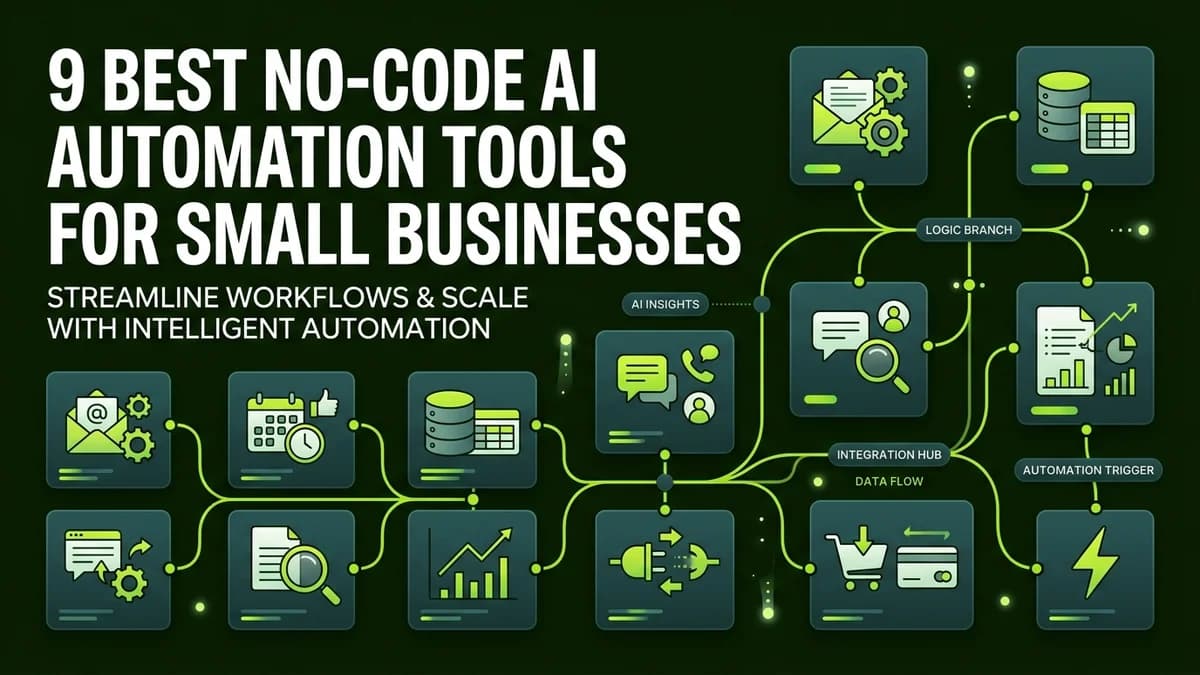
Small business owners can automate lead capture, customer support, email responses, and social media scheduling without writing a single line of code using modern drag-and-drop no-code AI platforms.
For years, building automated business workflows required hiring expensive software agencies or learning complex programming languages like Python. In 2026, the rise of visual no-code AI platforms has leveled the playing field, allowing solopreneurs, agency founders, and local business owners to deploy autonomous AI assistants in minutes.
Whether you need an automated WhatsApp customer service bot, an AI-powered invoice processing workflow, or a lead scoring system, these nine tools deliver enterprise-grade power through simple visual interfaces.
The 9 Best No-Code AI Automation Tools Compared
┌─────────────────────────────────────────────────────────────┐
│              NO-CODE AI AUTOMATION ARCHITECTURE             │
│                                                             │
│  [Customer Event] ──> [No-Code Trigger (n8n/Make)]          │
│                                │                            │
│                                v                            │
│                   [AI Agent Node (ChatGPT/Claude)]          │
│                                │                            │
│                                v                            │
│        [Action: WhatsApp / Email / CRM Update]              │
└─────────────────────────────────────────────────────────────┘
Below is a breakdown of the top no-code AI platforms designed specifically for non-technical users and growing business teams:
Tool Name | Best For | Primary Feature | Pricing Tier | Ease of Use |
|---|---|---|---|---|
n8n (Self-Hosted / Cloud) | Complex Multi-Step Workflows | Visual node editor and 400+ integrations | Free / Paid plans | High |
Make.com | Visual Scenario Builder | Drag-and-drop data mapping | Free tier / From $9/mo | Extremely High |
Zapier Central | Natural Language AI Bots | Chat-based workflow builder | Free tier / From $19/mo | Very High |
ChatGPT Team | Internal Business Operations | Custom GPTs and shared workspace | $25/user/month | Very High |
Claude for Work | Document Analysis and Copywriting | Long-context document parsing | $20/user/month | Very High |
WhatsApp AI Bot (WATI + OpenAI) | Customer Support Automation | Instant 24/7 chat replies | From $29/month | Moderate |
ManyChat AI | Instagram and Facebook Lead Gen | Automated DM sales funnels | Free tier / From $15/mo | Very High |
Notion AI | Knowledge Base and SOP Search | Internal business search engine | $10/user/month | Extremely High |
Airtable Cobuilder | Custom AI Database Apps | Visual relational databases | Free tier / From $20/mo | Moderate |
Step-by-Step Guide: Building Your First No-Code AI Workflow
You can set up an automated customer response pipeline in under 15 minutes by following these simple steps:
- Identify the Repetitive Trigger: Pinpoint a task that consumes daily time, such as responding to incoming website contact forms or Instagram DMs.
- Select Your Visual Platform: Log into Make.com or n8n and create a new visual workflow scenario.
- Connect Your Trigger App: Select your incoming channel (e.g. Gmail, Typeform, or WhatsApp) as the starting trigger node.
- Add the AI Reasoning Node: Insert an OpenAI or Claude module to analyze the customer message and generate a personalized, helpful reply based on your business FAQs.
- Set Up the Action Channel: Connect your outgoing communication tool (e.g. Email or WhatsApp) to send the verified AI response automatically.
- Test and Launch: Run a test submission to confirm data formatting, then activate the workflow to run 24/7.
Top Business Use Cases for Non-Technical Leaders
Small teams leverage no-code AI tools across four primary business departments:
- Customer Support: Answering repetitive product questions, tracking order statuses, and escalating urgent tickets to human staff.
- Lead Qualification: Asking new inquiries qualifying questions via chat before booking sales calls directly onto your calendar.
- Content Distribution: Automatically reformatting single blog posts into LinkedIn text posts, newsletter updates, and social media captions.
- Administrative Operations: Extracting invoice data from incoming email attachments and populating financial tracking spreadsheets automatically.
Frequently Asked Questions (PAA)
Do I need to know how to code to build AI automations for my business?
No! Visual no-code platforms like Make.com, n8n, and Zapier allow non-technical business owners to build powerful AI workflows using visual drag-and-drop nodes and plain English prompts.
What is the difference between n8n, Make.com, and Zapier for non-coders?
Zapier is the easiest tool for basic 2-step automations; Make.com excels at complex visual data mapping; and n8n offers high customization and cost efficiency for multi-step workflows.
How much does it cost to implement no-code AI tools for a small business?
Most small businesses can launch complete no-code AI automation stacks for under Rs 2,000 per month, utilizing free tiers and low-cost starter plans.
Are customer data and messages kept private when using no-code AI tools?
Yes. Reputable platforms like n8n, Make.com, and OpenAI Team enterprise tiers enforce strict data privacy standards, ensuring business data is encrypted and never used to train public AI models.
Summary Checklist for Small Business AI Adoption
- Audit your daily schedule to list tasks taking more than 30 minutes of repetitive manual effort.
- Start with a single high-impact automation, such as instant lead response or FAQ resolution.
- Test your workflow thoroughly before turning off manual fallback checks.
- Keep workflows simple by building modular steps rather than overly complex single pipelines.

Learn to build AI workflows that handle your busywork — live sessions, real projects, zero code.
See the courseBeginner-friendly