.jpg&w=1080&q=75)
How Indian Agency Owners Automate Client Reporting in 5 Minutes (No-Code ChatGPT & Google Sheets Blueprint)

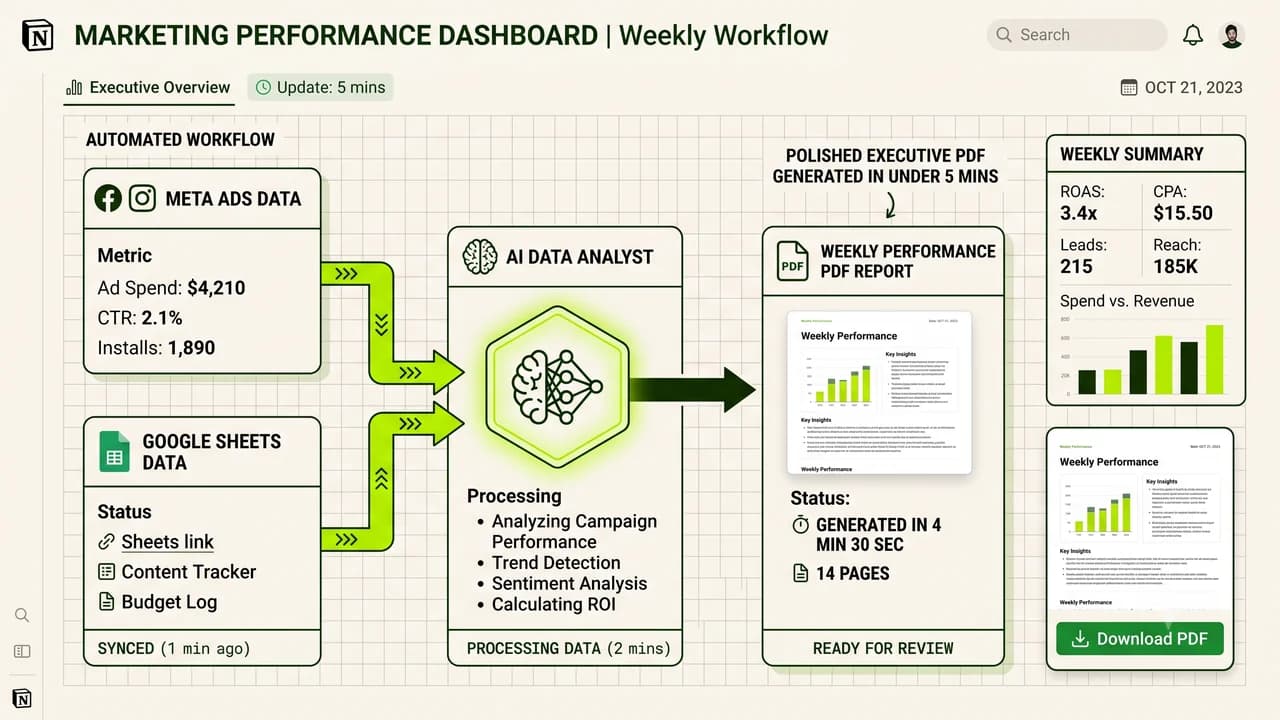
Marketing agency owners can save over 15 hours every week by auto-generating client performance summaries with Google Sheets and language models.
Ask any performance marketing agency owner in India what they dread most about Monday mornings, and the answer is always the same: client reports.
Account managers spend hours pulling CSV exports from Meta Ads Manager, Google Ads, and Shopify. Then they copy numbers into presentation slides and type out generic summaries explaining why cost-per-acquisition moved up or down.
It is tedious, error-prone, and burns valuable strategy time.
Smart boutique agencies have replaced this entire grind with a clean 3-part automation pipeline.
1. Manual Reporting vs. Automated Workflow
Task | Manual Way | Automated System | Difference |
|---|---|---|---|
Pulling Numbers from Ad Accounts | 30 mins per client | Instant (Synced automatically to Sheets) | Zero manual downloads |
Calculating ROAS and CPA deltas | 15 mins per client | Instant (Handled by sheet formulas) | 100% accurate |
Writing Strategic Commentary | 30 mins per client | 30 seconds (Structured prompt template) | Clear, actionable takeaways |
PDF Formatting and Emailing | 15 mins per client | Instant (Triggered automated dispatch) | Delivered every Monday 9 AM |
Total Weekly Time (10 Clients) | 15 Hours | Under 45 Minutes | 14+ hours saved weekly |
2. How the 3-Step Setup Works
Step 1: Master Sheet -> Collects weekly spend, clicks, conversions, and revenue automatically.
Step 2: Workflow Node -> Formats the raw numbers into a concise data payload.
Step 3: AI Writer -> Drafts an executive breakdown with key wins and recommendations.
3. The Prompt Template That Delivers Real Insights
Drop your weekly numbers into this prompt structure:
You are a senior growth strategist reviewing weekly performance for [Client Name].
Here are this week's metrics:
- Ad Spend: [Spend]
- Revenue: [Revenue]
- Blended ROAS: [Current ROAS] vs Target [Target ROAS]
- Best Ad Creative: [Winning Ad Name] (CPA: [Winning CPA])
- Bottom Ad Creative: [Losing Ad Name] (CPA: [Losing CPA])
Write a 3-part update for the client:
1. Executive Summary: Two clear sentences on revenue trends.
2. Top Wins: Bullet points covering efficient campaigns.
3. Next Week's Game Plan: Two specific creative and budget adjustments.
Keep the tone sharp, professional, and free of marketing fluff.
4. Why This Gives Your Agency an Unfair Edge
- Account managers can handle double the clients: Without the reporting bottleneck, your team can manage 12 to 15 accounts easily.
- Clients get updates on time, every time: No more chasing managers for delayed slide decks.
- Saves money on expensive SaaS: You avoid paying $200 every month for bloated reporting dashboards that clients rarely open.
5. Frequently Asked Questions (PAA)
Can I include multiple ad networks in one report?
Yes. You can route Meta Ads, Google Ads, and LinkedIn Ads metrics into different tabs of the same master Google Sheet.
Will the commentary sound like a generic bot?
Not when you feed it your actual campaign numbers, target benchmarks, and specific testing constraints. It sounds like a seasoned growth director.
Where can I get ready-to-use agency templates?
Visit Zero To AI (https://zerotoai.in) to download complete no-code templates, prompt libraries, and automation guides designed for agency founders.

Learn to build AI workflows that handle your busywork — live sessions, real projects, zero code.
See the courseBeginner-friendly