.jpg&w=1080&q=75)
Self-Hosted n8n for Beginners: How to Build 5 Everyday Business Automations for Free

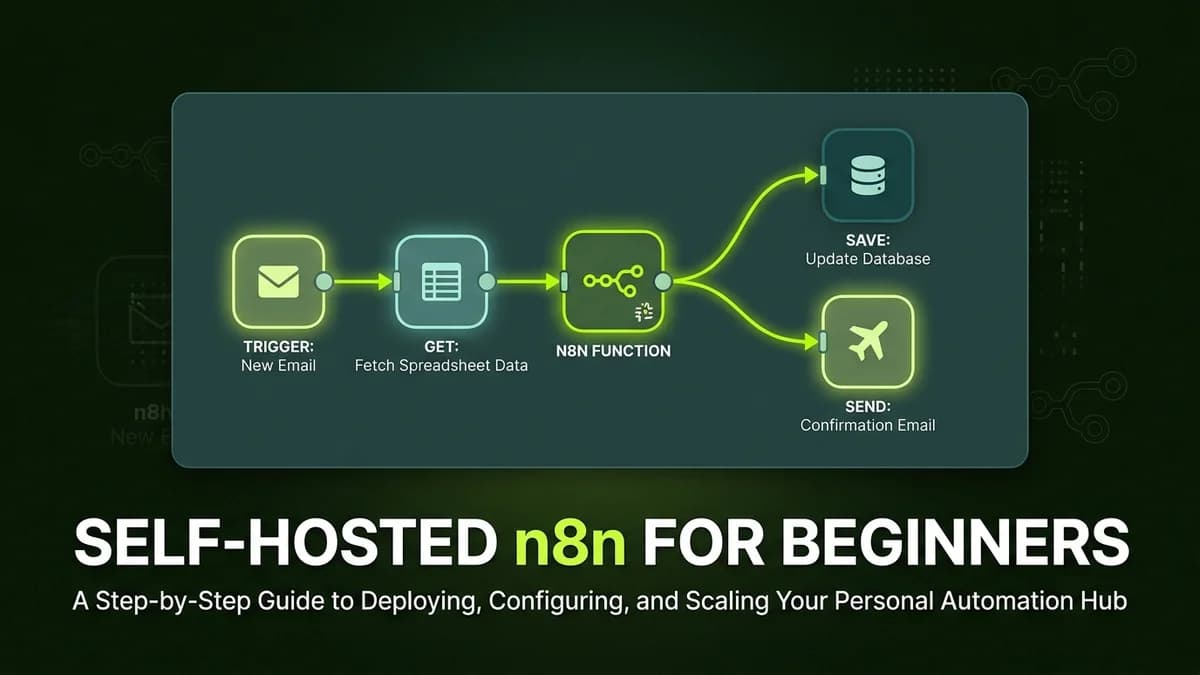
Non-technical solopreneurs and small business owners can deploy self-hosted n8n to automate daily email parsing, document extraction, client reminders, and database updates for free with zero per-task execution fees.
Workflow automation platforms like Zapier and Make.com offer convenience, but their monthly subscription fees escalate rapidly as task volume grows. For budget-conscious solopreneurs and privacy-minded business owners, self-hosted n8n provides a powerful alternative: unlimited workflow executions running on your own hardware or low-cost cloud server for free.
While "self-hosted" sounds technical, modern cloud templates and visual node builders allow non-coders to get n8n running in under 20 minutes and construct high-value everyday business automations.
Why Non-Coders Choose Self-Hosted n8n
The primary driver for adopting self-hosted n8n is total cost control and complete data ownership:
Platform Metric | Traditional SaaS (Zapier / Make) | Self-Hosted n8n Solution |
|---|---|---|
Monthly Execution Fee | Pay per task ($20 to $150+/month) | $0 / Month (Unlimited executions) |
Data Privacy | Customer data processed on third-party servers | 100% private data stored on your server |
AI Node Integration | Extra charges for advanced AI steps | Native built-in AI agent and LLM nodes |
Workflow Complexity | Hard limits on free tier features | Full visual workflow features unlocked |
5 Everyday Business Automations You Can Build for Free
Here are five practical, high-value business automations beginners can build in n8n without writing code:
1. Automated Invoice Email Parser & Google Sheet Sync
Automatically extract invoice data from incoming vendor emails and record key details in a accounting master spreadsheet:
- Trigger: New email received with an attached PDF invoice.
- n8n Action: Extract PDF text, pass data to an AI node to parse Vendor Name, Invoice Number, Amount, and Due Date.
- Output: Append a clean new row into your accounting Google Sheet.
2. Instant Slack / WhatsApp Alerts for High-Value Sales Leads
Never miss a hot inbound lead inquiry again:
- Trigger: New lead form submission.
- n8n Action: Evaluate lead budget and service scope.
- Output: Immediately send a priority notification message into your team Slack channel or WhatsApp group.
3. Automated PDF Contract Document Data Extraction
Extract text from scanned client documents, application forms, or receipts without manual typing:
n8n Visual Workflow Structure:
[File Upload Trigger] ──> [n8n Extract Text Node] ──> [AI Structuring Node] ──> [Database / Sheet]
4. Scheduled Client Payment Follow-Up Reminders
Automate unpaid invoice follow-up reminders to ensure steady cash flow:
- Trigger: Scheduled weekly cron timer (every Monday at 9:00 AM).
- n8n Action: Query unpaid invoices where due date has passed.
- Output: Draft and send polite follow-up reminder emails to client billing contacts.
5. Automated Social Content Cross-Posting
Publish blog announcements automatically across multiple social channels:
- Trigger: New blog post published on your website.
- n8n Action: Reformat blog headline and URL for LinkedIn and Twitter.
- Output: Publish updates across all social profiles simultaneously.
How Beginners Can Get Started with n8n
Non-technical users have two simple pathways to start using n8n:
- n8n Cloud (Easiest): Sign up for a managed cloud account with zero server setup required (includes a 14-day free trial).
- Self-Hosted One-Click Install: Use one-click app deployment templates on platforms like DigitalOcean, Render, or Railway to launch a self-hosted instance for ~$5/month with unlimited task executions.
Frequently Asked Questions (FAQs)
Do I need to write code to use self-hosted n8n?
No. n8n features a drag-and-drop visual node builder. You connect visual nodes representing apps like Gmail, Google Sheets, and AI models using your mouse without writing code.
What hardware is required to run self-hosted n8n?
n8n is lightweight and can run smoothly on a basic virtual private server (VPS) with 1 GB RAM and 1 CPU core, costing under $5 per month for unlimited task volume.
Is self-hosted n8n secure for business customer data?
Yes. Because self-hosted n8n runs entirely within your own isolated server environment, your customer records, financial data, and credentials never pass through external third-party servers.

Learn to build AI workflows that handle your busywork — live sessions, real projects, zero code.
See the courseBeginner-friendly