.jpg&w=1080&q=75)

AI Agents Are Here: 5 Everyday Tasks You Can Automate Today (No Coding Required)

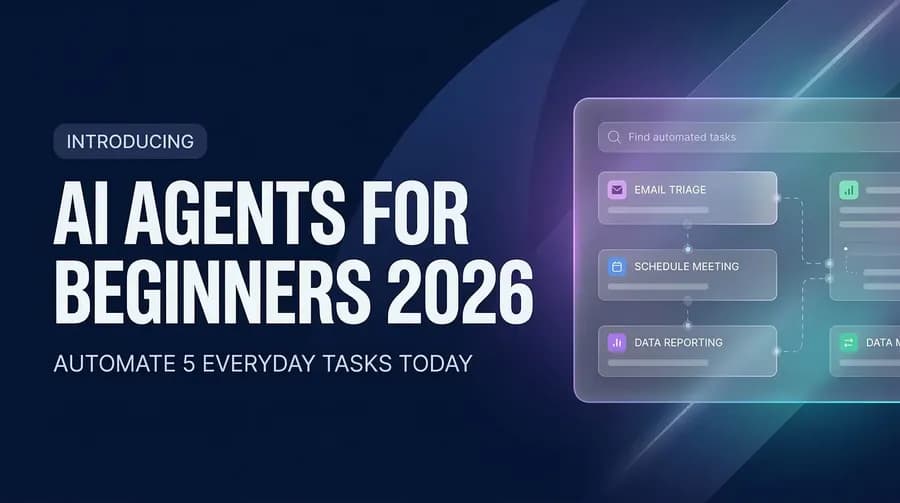
AI Agents for Beginners 2026: Automate 5 Everyday Tasks Today
Over 70% of workers spend more than two hours a day on tasks a machine could do instead. Scheduling. Sorting emails. Chasing follow-ups. Summarizing documents. Writing the same reply — again.
AI agents in 2026 are here to take those tasks off your plate. And the best part? You don't need to write a single line of code.
This isn't a futuristic promise. It's happening right now, on platforms designed specifically for people with zero technical background. By the end of this article, you'll know exactly what AI agents are, which tools to use, and how to set up your first automated task today.
What Is an AI Agent, Actually?
Most people have used AI as a conversation partner — you ask a question, it answers. That's a chatbot. An AI agent is different.
An AI agent doesn't wait for you to ask. It watches, decides, and acts on its own, based on goals you give it. Think of it less like a search engine and more like a digital employee who works 24/7, never forgets, and never complains.
"You don't give an AI agent a question. You give it a job."
For example: instead of telling ChatGPT "write me an email reply," you tell an AI agent "monitor my inbox, categorize every incoming email, and draft replies to anything marked urgent — then ping me on Slack before it sends." That's the difference.
In 2026, AI agent platforms have matured to the point where setting this up takes minutes, not months.
Why 2026 Is the Year Non-Coders Finally Win
Here's what changed: the major automation platforms — Zapier, Make, n8n, Lindy — have rebuilt their interfaces around plain language and visual drag-and-drop builders. You describe what you want to happen in plain English, and the platform builds the workflow.
Google's Workspace Studio now lets you create agents directly inside Gmail, Docs, and Calendar — no external tools required. Lindy AI offers hundreds of pre-built agent templates that cover common use cases from day one.
The barrier isn't code anymore. The barrier is just knowing where to start.
That's what this article is for.
The 5 Everyday Tasks You Can Automate Today
1. Email Triage and Drafting
If your inbox controls your mornings, an AI agent can take that control back.
Platforms like Zapier and Lindy can monitor your inbox in real time, automatically label incoming messages by priority or topic, and draft context-aware replies for your review. You approve, adjust, or send — but you're no longer starting from a blank page.
How to set it up (no code):
• Open Zapier and create a new "Zap"
• Set the trigger: "New email received in Gmail"
• Add an AI action step: "Summarize email and draft a reply"
• Add a final action: "Save draft to Gmail" or "Send to Slack for review"
Total setup time: under 20 minutes.
The impact? Teams using AI-assisted email report saving 45–60 minutes per day — just on inbox management.
2. Meeting Scheduling and Follow-Ups
You've had this conversation before: "What time works for you?" "How about Thursday?" "I have a conflict — Friday?" Three days and six emails to set a 30-minute meeting.
AI agents kill this loop entirely.
Tools like Lindy AI and Zapier's scheduling automations can check your calendar availability, send scheduling links, confirm bookings, create the calendar event, and send a follow-up summary after the meeting — all without you touching a thing.
What you automate:
• Availability checks against your calendar
• Personalized scheduling email drafts
• Post-meeting action item summaries
• Follow-up reminders if a reply hasn't come through
Pair this with a tool like Notion or ClickUp and your action items get logged automatically. No more "wait, what did we decide in that meeting?"
3. Content Research and Summarization
Whether you're a student prepping for an exam, a marketer staying on top of industry trends, or a professional who has to read more than is humanly possible — AI agents can do your first pass for you.
With n8n or Make, you can build an agent that:
• Pulls new articles from RSS feeds or Google Alerts on your chosen topic
• Sends each article through an AI summarizer (GPT-4o, Claude, Gemini)
• Compiles a daily digest with key points and sends it to your email or Slack at 8 AM
This is the morning briefing that used to cost companies thousands to produce. You can have it for free in an afternoon.
Beginner-friendly approach: Use Zapier's "Digest" feature combined with an AI summarize action. No technical setup required — just connect your sources and pick your delivery time.
4. Social Media Scheduling and Repurposing
Creating content is hard. Distributing it shouldn't be.
AI agents in 2026 can take a single blog post, podcast transcript, or YouTube video and automatically:
• Generate 5 social media post variations (LinkedIn, X, Instagram)
• Size and format for each platform
• Schedule posts at optimal engagement times
• Respond to common comments with a pre-approved tone
Platforms like Make (formerly Integromat) excel at this. You set the rules once — "whenever I publish a new blog post, create a LinkedIn post summary and a tweet thread" — and the agent handles the rest.
This is particularly powerful for solopreneurs, creators, and small marketing teams who need to punch above their weight.
5. Data Collection and Reporting
If you've ever spent a Friday afternoon manually copying numbers from five different tools into a spreadsheet, this one's for you.
AI agents can pull data from your CRM, analytics platforms, email tools, and ad dashboards — then compile a formatted report and deliver it to you (or your boss) automatically, on a schedule you set.
Example workflow with Zapier:
• Trigger: Every Monday at 9 AM
• Action 1: Pull weekly sales data from HubSpot
• Action 2: Pull website traffic from Google Analytics
• Action 3: Ask AI to write a 3-bullet executive summary
• Action 4: Email the full report to your team
What used to take two hours now takes two seconds of your attention — just reading the finished output.
Which AI Agent Platform Is Right for You?
You don't need to use all of these tools. Pick one and go deep.
Platform | Best For | Free Tier? | Skill Level |
|---|---|---|---|
Zapier | Most integrations (8,000+), easiest onboarding | Yes | Beginner |
Make | Complex multi-step visual workflows | Yes | Beginner–Intermediate |
n8n | Advanced users, self-hosting, full control | Yes (self-hosted) | Intermediate |
Lindy AI | Pre-built agent templates, fast results | Yes (limited) | Beginner |
Google Workspace Studio | Gmail/Calendar/Docs users, zero setup friction | Yes (Google account) | Beginner |
Our recommendation for most beginners: Start with Zapier or Lindy. Get your first win. Then expand.
Common Mistakes Beginners Make (and How to Avoid Them)
Mistake 1: Trying to automate everything at once.
Pick one repetitive task that genuinely frustrates you. Automate that. See the result. Then expand.
Mistake 2: Not reviewing AI outputs before sending.
AI agents are fast, but they're not perfect. For anything that leaves your account — emails, reports, social posts — build in a review step. Your reputation is worth one extra click.
Mistake 3: Choosing the most complex tool first.
n8n is powerful, but it has a learning curve. If you're brand new, start with Zapier. Get comfortable with the concept of triggers and actions before you add complexity.
Mistake 4: Treating automation as "set it and forget it" forever.
Your workflows need occasional check-ins. APIs update. Tools change. A quarterly 10-minute review keeps everything running smoothly.
The Real Question: What Will You Do With the Time You Get Back?
That's what AI agents are actually about.
When an agent handles your email triage, you're not just saving an hour. You're reclaiming focus. When your weekly report writes itself, you're not just saving Friday afternoon. You're buying back the mental energy to do the work that actually matters.
The professionals who win in 2026 aren't the ones who work harder. They're the ones who automate smarter.
And the barrier to entry has never been lower. These tools are built for people exactly like you — busy, non-technical, and unwilling to waste another hour on something a machine can handle.
Frequently Asked Questions
Q: Do I need any technical knowledge to use AI agents?
No. Platforms like Zapier, Lindy, and Google Workspace Studio are specifically designed for non-technical users. If you can use a smartphone app, you can build a basic AI agent workflow.
Q: Are AI agents safe to use with my real email and calendar?
Reputable platforms like Zapier and Google Workspace use industry-standard encryption and OAuth authentication. They don't store your emails — they act as a bridge between your apps. Always review permissions before connecting any tool to your accounts.
Q: How much does it cost to get started with AI agents?
Most platforms have generous free tiers that cover beginner use cases. Zapier's free plan allows up to 100 tasks/month. Lindy and Google Workspace Studio also offer free starting options. For most beginners, the cost to get started is $0.
Q: Can AI agents make mistakes?
Yes, and that's why a human-in-the-loop review step matters for anything important. AI agents are excellent at handling volume and routine — but your judgment is the final quality check.
Q: What's the difference between an AI agent and a regular automation like IFTTT?
Traditional automations are rule-based: "if X happens, do Y." AI agents add a reasoning layer — they can interpret the content of an email, decide what category it falls into, and draft a contextually appropriate response. They handle ambiguity in a way rigid rules can't.
Start Your First Automation Today
You've read about it. Now it's time to do it.
Pick one task from this list. Open Zapier or Lindy. Spend 20 minutes building your first agent workflow. You'll be surprised how fast it clicks.
And if you want a guided path to mastering AI — not just automation tools, but the full picture of how AI is reshaping work — Zero To AI is built exactly for that.
We make people feel easy about AI. No jargon, no judgment, no prerequisite degrees. Just clear, practical knowledge that helps you work smarter starting today.
Visit zerotoai.in and take your first step.
AI agents for beginners in 2026 aren't a trend. They're the new baseline. The only question is whether you get there first — or play catch-up later.

Learn to build AI workflows that handle your busywork — live sessions, real projects, zero code.
See the courseBeginner-friendly