.jpg&w=1080&q=75)
n8n vs Make.com for Small Business Automation: Which No-Code Tool Saves More Time and Money in 2026?

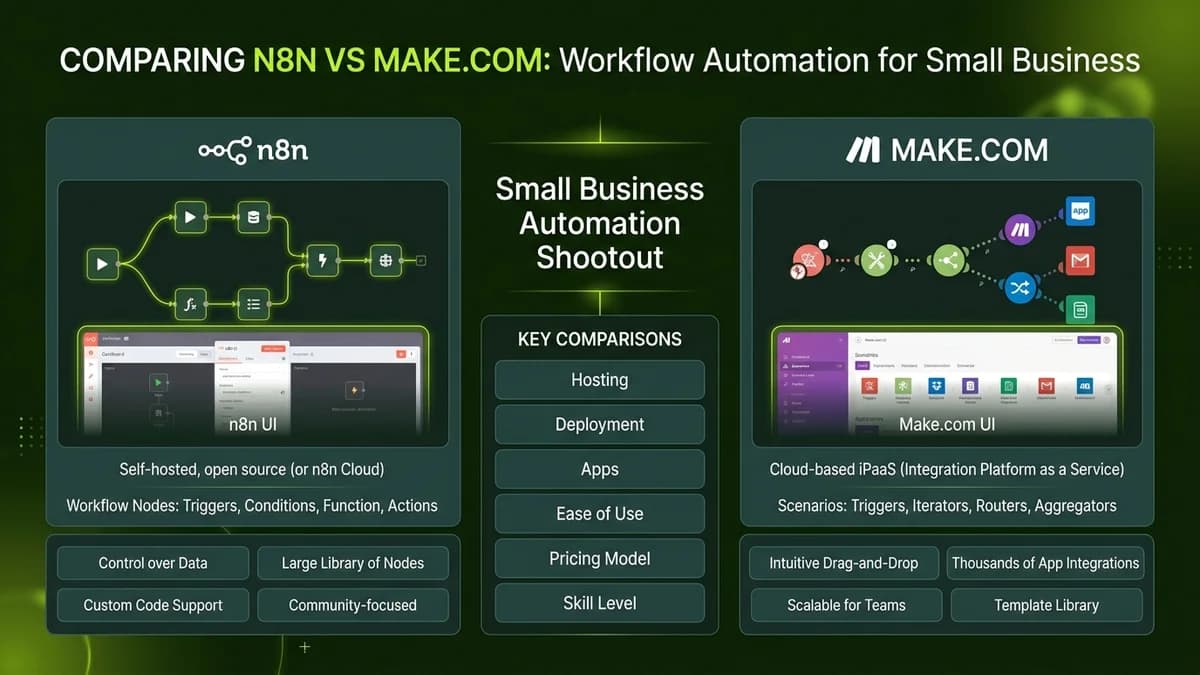
Make.com offers the easiest drag-and-drop cloud interface for beginners, whereas n8n provides unlimited self-hosted executions and native AI agent nodes, making it the lower-cost choice for scaling business workflows.
Selecting the right visual workflow automation platform is one of the most critical decisions for budget-conscious solopreneurs and small business owners. As companies automate daily tasks like invoice processing, lead scoring, and customer email replies, operational efficiency depends on choosing a tool that balances cost, ease of use, and advanced AI capabilities.
Both Make.com and n8n represent top-tier no-code automation platforms, but their underlying architecture and pricing structures suit different business needs.
n8n vs Make.com: Head-to-Head Feature Comparison
The comparison table below details how n8n and Make.com compare across core operational metrics:
Platform Feature | Make.com | n8n (Self-Hosted / Cloud) | Ideal Business Fit |
|---|---|---|---|
Learning Curve | Very Easy (Visual drag-and-drop) | Easy to Moderate | Make for absolute beginners |
Monthly Pricing Model | Pay per operation tier | $0 / month self-hosted (Unlimited) | n8n for high task volumes |
Native AI Agent Nodes | Basic AI app modules | Built-in LangChain & AI agent nodes | n8n for complex AI workflows |
Data Privacy & Hosting | SaaS cloud servers | 100% private self-hosted option | n8n for strict data control |
App Connector Ecosystem | 1,500+ pre-built app connectors | 400+ native nodes + API webhooks | Make for niche SaaS apps |
Free Tier Allowance | 1,000 operations per month | Unlimited executions on self-host | n8n for unlimited task volume |
Key Differences Explained for Non-Technical Business Owners
1. Cost & Execution Volume Scaling
Pricing structure represents the biggest divergence between the two platforms.
- Make.com: Operates on a per-operation pricing model. Every visual node step consumes operations. High-volume workflows (such as monitoring social feeds or processing hundreds of incoming emails daily) can push monthly costs from $10 to over $100.
- n8n: Offers a self-hosted community edition that runs on low-cost virtual private servers (VPS) for around $5/month. Once deployed, business owners run unlimited workflow executions without per-task fees.
2. Ease of Use & App Integrations
Getting started quickly is essential for non-technical founders.
- Make.com: Features an incredibly intuitive interactive canvas with over 1,500 pre-built app integrations. Connecting apps like Gmail, Google Sheets, Razorpay, and Slack requires zero technical configuration.
- n8n: Offers a clean visual node canvas with 400+ native connectors. While connecting standard apps is straightforward, connecting custom tools may require basic API webhook knowledge.
3. Built-In AI Agent & LLM Capabilities
AI integration has become a primary driver for workflow automation.
- Make.com: Allows users to add OpenAI or Claude modules into standard linear workflows.
- n8n: Features native AI agent nodes powered by LangChain architecture, allowing non-coders to build autonomous multi-step AI agents with custom vector memory.
How Small Businesses Should Choose Between the Two
Follow these practical guidelines when picking your primary automation platform:
- Choose Make.com If: You are a non-technical beginner wanting an immediate drag-and-drop cloud setup, need pre-built connectors for niche apps, and run low to moderate task volumes.
- Choose n8n If: You run high-volume daily workflows, want fixed $0 execution fees via self-hosting, prioritize 100% data privacy, or want to build advanced AI agent workflows.
Frequently Asked Questions (FAQs)
Can I migrate workflows from Make.com to n8n later?
Yes. While visual workflows must be re-created using n8n nodes, the underlying logic, webhook triggers, and API endpoints remain identical.
Is self-hosting n8n difficult for non-technical business owners?
No. Platforms like DigitalOcean, Railway, and Render offer one-click installation templates that allow beginners to launch a self-hosted n8n instance in under 10 minutes.
Are my business credentials secure on Make.com and n8n?
Yes. Both platforms encrypt stored API keys and OAuth tokens using enterprise-grade security standards.

Learn to build AI workflows that handle your busywork — live sessions, real projects, zero code.
See the courseBeginner-friendly