.jpg&w=1080&q=75)

The #QuitGPT Boycott: Why Everyone is Switching to Local AI Agents

The #QuitGPT Boycott: Why Everyone is Switching to Local AI Agents
In early March 2026, a single hashtag began trending across the internet: #QuitGPT.
What started as a niche protest by privacy advocates has exploded into a mainstream movement. Users are deleting their ChatGPT Plus subscriptions in record numbers. Why? Because the "Privacy Promise" of Big Tech is crumbling. Between OpenAI's latest military contracts and the new "Native Computer Use" features that effectively let a corporation "watch" your screen, people have had enough.
But they aren't quitting AI. They are switching to Local AI Agents.
At zerotoai, we teach people that you don't need a cloud giant to be productive. You can own your intelligence. This guide explains why the boycott is happening and how you can switch to a private, local AI setup in under 10 minutes.
The Privacy Crisis: Why Your Data is the Price of Free AI
In 2024, the trade-off was simple: "I give you my data, you give me a free chatbot."
In 2026, the trade-off has become dangerous. Modern AI agents don't just read your text; they see your browser, they know your banking tabs, and they hear your private conversations to provide "context."
For many, this is a bridge too far. The #QuitGPT movement is a demand for Data Sovereignty. People want the power of GPT-5.4 without the "Big Brother" eyes.
What is a "Local Agent"? (And Why It Doesn't Need the Internet)
A Local AI Agent is a model that runs entirely on your own device's hardware.
• Offline Capability: It doesn't need a Wi-Fi connection to work.
• Zero Data Leaks: Your prompts and files never leave your computer.
• No Subscriptions: Once you have the hardware, the "brains" are free.
In 2026, hardware like the Apple M5 and the NVIDIA RTX 50-series have made it possible to run models that are nearly as powerful as GPT-4 on a standard laptop.
How to Run Your Own LLM with Ollama in 10 Minutes
Switching to a local agent used to be for "hardcore" developers. Today, it’s a one-click process.
The Step-by-Step:
1. Download Ollama: The industry standard for running local models.
2. Pick Your Model: Use ollama run llama3-70b for high-end reasoning or ollama run mistral for a fast, light assistant.
3. Connect a UI: Use Open WebUI or LM Studio to get a ChatGPT-like interface that lives on your localhost.
That’s it. You are now running a private AI that answers to nobody but you.
Top 3 Privacy-First AI Models for Non-Technical Users
If you are joining the boycott, these are the best local models to start with in 2026:
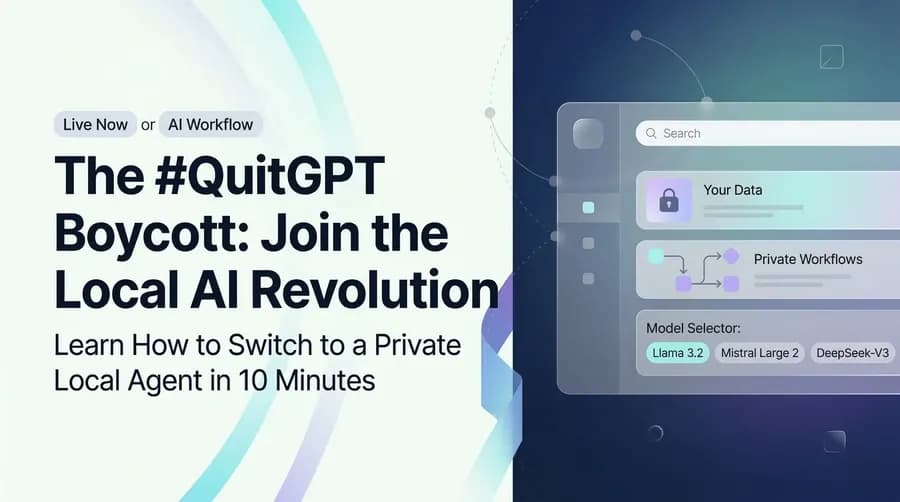
1. Llama 3.2 (Meta): The best all-rounder. It’s open-source, incredibly smart, and handles creative writing better than almost anything in its class.
2. Mistral Large 2: The European powerhouse. It’s built with strict privacy standards in mind and excels at complex reasoning.
3. DeepSeek-V3: The current king of "Logic-to-Compute" efficiency. It runs fast even on older hardware.
The Power of Edge Computing: Security Without Sacrificing Speed
The biggest myth about local AI is that it’s "slow."
Thanks to Edge Computing, your local AI can actually be faster than the cloud. Why? Because there is no "Round Trip" to a server in Virginia. When you press enter, the silicon on your desk responds instantly.
For zerotoai students, we teach how to use these local models as the "Brain" for your n8n workflows. You get automation and privacy in one package.
Making the Switch: A Beginner's Guide to AI Independence
Switching to local AI isn't just about privacy; it's about Independence.
If OpenAI’s servers go down, the world stops working. If your local agent is on your desk, your business keeps moving.
The Beginner's Strategy:
• Keep your "Public" tasks (searching the web, generic emails) on cloud models if you must.
• Move your "Private" tasks (accounting, client data, personal journaling) to your local agent.
Conclusion: Own Your Intelligence, Own Your Data
The #QuitGPT boycott is a wake-up call. AI is too powerful to be controlled by just three or four companies.
At zerotoai, we believe the future of AI is Distributed. It belongs on your laptop, your phone, and your local server. Making AI "feel easy" also means making it feel "safe."
The Agentic Era is here. Make sure the agent works for you, not a corporation.
Ready to go local?
[Join our AI Independence Workshop] and let us help you set up your private local agent and connect it to your first n8n workflow.
FAQ (People Also Ask)
Q1: Do I need a $5,000 computer to run local AI?
No. In 2026, most mid-range laptops (especially those with 32GB+ of RAM) can run highly capable "small" models (8B-14B parameters) with zero lag.
Q2: Are local models as smart as GPT-5.4?
Not quite yet for the most complex scientific tasks. But for 95% of daily work (writing, coding, summarizing), the gap has become unnoticeable.
Q3: Can a local agent still search the web?
Yes! You can use tools like Perplexity API or local search wrappers to give your private agent "eyes" on the live web while keeping your identity anonymous.
Q4: Is it hard to set up?
If you can install an app on your phone, you can install Ollama. It’s that simple now.

Learn to build AI workflows that handle your busywork — live sessions, real projects, zero code.
See the courseBeginner-friendly