.jpg&w=1080&q=75)
How Indian Small Businesses Build 24/7 WhatsApp AI Customer Support Bots (No Code Guide 2026)

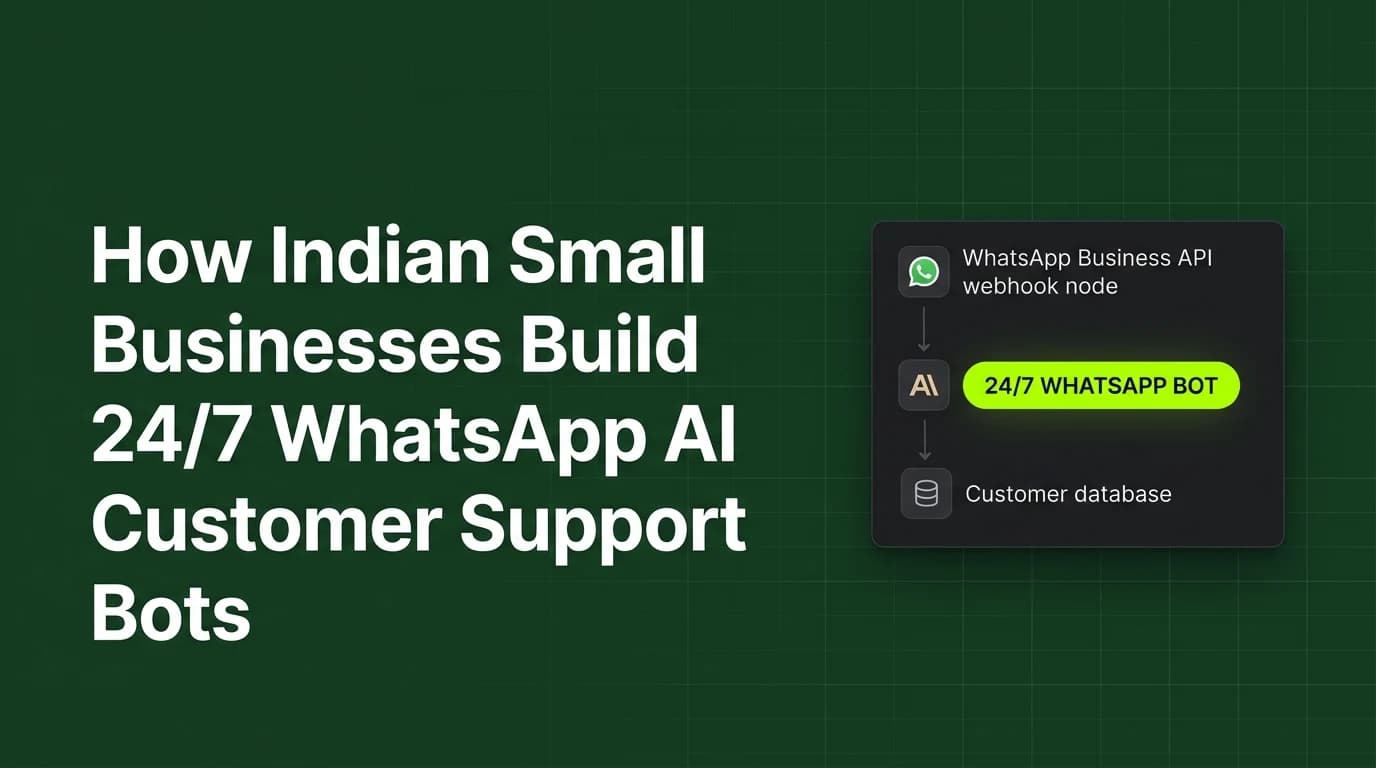
Indian small businesses build 24/7 WhatsApp AI customer support bots by connecting the WhatsApp Business API to large language models using visual no-code platforms like n8n and Make.com.
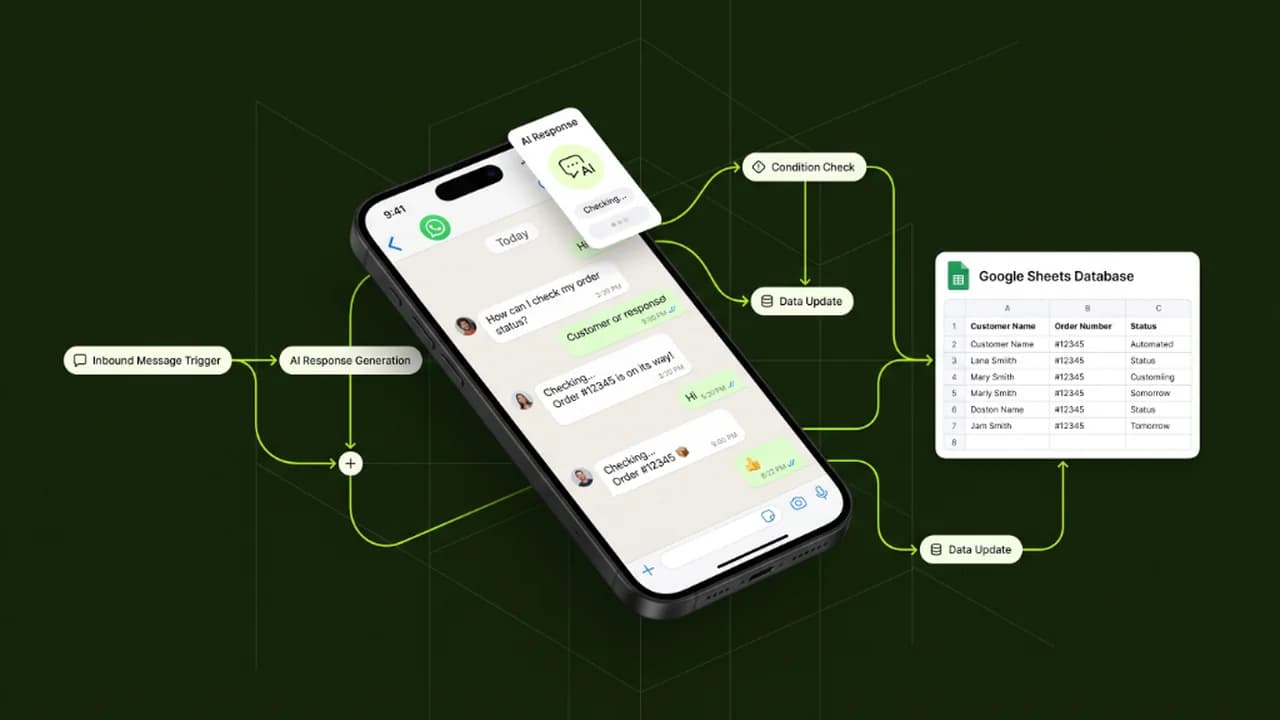
In India, WhatsApp is the primary communication channel for consumer interactions, sales inquiries, and service support. Small business owners, retail operators, and digital service agencies often struggle to respond instantly to incoming customer messages outside of regular operating hours, leading to dropped leads and lower customer satisfaction. In 2026, non-technical founders deploy automated WhatsApp AI support bots that query product databases, answer frequent service questions, schedule appointments, and route complex cases to human staff without developer assistance.
Understanding the step-by-step technical architecture and setup requirements enables non-coders to deploy round-the-clock customer care at minimal cost.
Traditional Customer Support vs Automated WhatsApp AI Bot
Comparing traditional manual phone/chat support against an automated WhatsApp AI support engine highlights substantial efficiency gains:
Operational Parameter | Traditional Manual Support | Automated WhatsApp AI Support Engine |
|---|---|---|
Response Time | 30 minutes to 12 hours | Instantaneous (< 3 seconds) |
Operational Availability | 8 to 10 hours daily (Office Hours) | 24/7 Continuous availability (365 Days) |
Staffing Expense | High (Payroll for support representatives) | Low (Pay-as-you-go API token costs) |
Query Concurrency | 1 customer per representative | 1,000+ simultaneous conversations |
Data Consistency | Varies based on agent training | 100% Consistent accurate database lookups |
The 4-Layer Architecture of a No-Code WhatsApp AI Bot
Building a functional WhatsApp AI assistant requires connecting four visual software modules:
[WhatsApp Business API Webhook] ──> [n8n / Make Workflow Router] ──> [LLM Reasoning Core (Claude/GPT)] ──> [Knowledge Base (Notion/Google Sheets)]1. WhatsApp Business API Webhook
The input channel that captures incoming customer messages and sends raw text payloads to your visual workflow automation engine.
2. Workflow Automation Router (n8n / Make.com)
The visual drag-and-drop orchestrator that formats message payloads, manages conversation state, and passes data to AI models.
3. LLM Reasoning Core (Claude 3.5 Sonnet / GPT-4o mini)
The artificial intelligence brain that evaluates customer intent, maintains polite conversational tone, and constructs helpful responses according to company guardrails.
4. Knowledge Base & Database Connector
The contextual memory source—such as a Google Sheet, Airtable base, or Notion database—containing real-time product inventories, pricing tiers, and FAQ policies.
4 Steps to Deploy a No-Code WhatsApp AI Support Bot
Follow this structured roadmap to launch a working WhatsApp customer support bot in under 48 hours:
- Register WhatsApp Business API Access: Set up a Meta Developer account and generate a WhatsApp Business API phone number and permanent access token.
- Configure Visual Workflow Nodes: Import a pre-built n8n or Make.com scenario that listens for incoming WhatsApp webhooks and extracts message text.
- Connect Your Company FAQ Knowledge Base: Link a structured Google Sheet containing product prices, operating hours, return policies, and service menus.
- Test & Establish Human Escalation Guardrails: Set up fallback triggers so that if a customer requests human intervention or asks about high-value orders, the bot instantly alerts your team on Slack or WhatsApp.
Frequently Asked Questions (FAQs)
Do I need coding skills to build a WhatsApp AI support bot?
No, visual automation platforms like n8n and Make.com provide drag-and-drop nodes that allow non-technical business owners to build and connect WhatsApp bots without writing code.
How much does it cost to run a WhatsApp AI support bot per month?
Running a basic WhatsApp AI bot costs between ₹500 and ₹1,500 per month, covering minimal WhatsApp API conversation charges and pay-as-you-go LLM token fees.
Can the WhatsApp AI bot process orders and check inventory?
Yes, by connecting the bot to your inventory Google Sheet or e-commerce database, the AI can check real-time stock levels and guide customers through order placement.
What happens if the AI bot does not know the answer to a question?
Configured safety guardrails instruct the bot to politely state it is escalating the query, while automatically sending an alert notification to a human team member.

Learn to build AI workflows that handle your busywork — live sessions, real projects, zero code.
See the courseBeginner-friendly